Decide what the viewer needs to see
Good footage does not require an elaborate setup. It needs a subject that is easy to identify and a frame that supports what you are saying. Before you record, name the point of the shot: a face explaining an idea, hands demonstrating a step, or an object showing an important detail. That decision helps you choose where to place the phone and which parts of the scene can be left out.
Think about where the video will be watched. A vertical frame may suit a phone-first post, while a horizontal frame may fit a wider presentation. Choose the orientation before recording, because cropping later can cut off hands, captions or the object you meant to show. Leave a little space around the subject if you expect to add text, but keep the subject large enough to understand on a small screen.
Use light that makes the subject easy to read
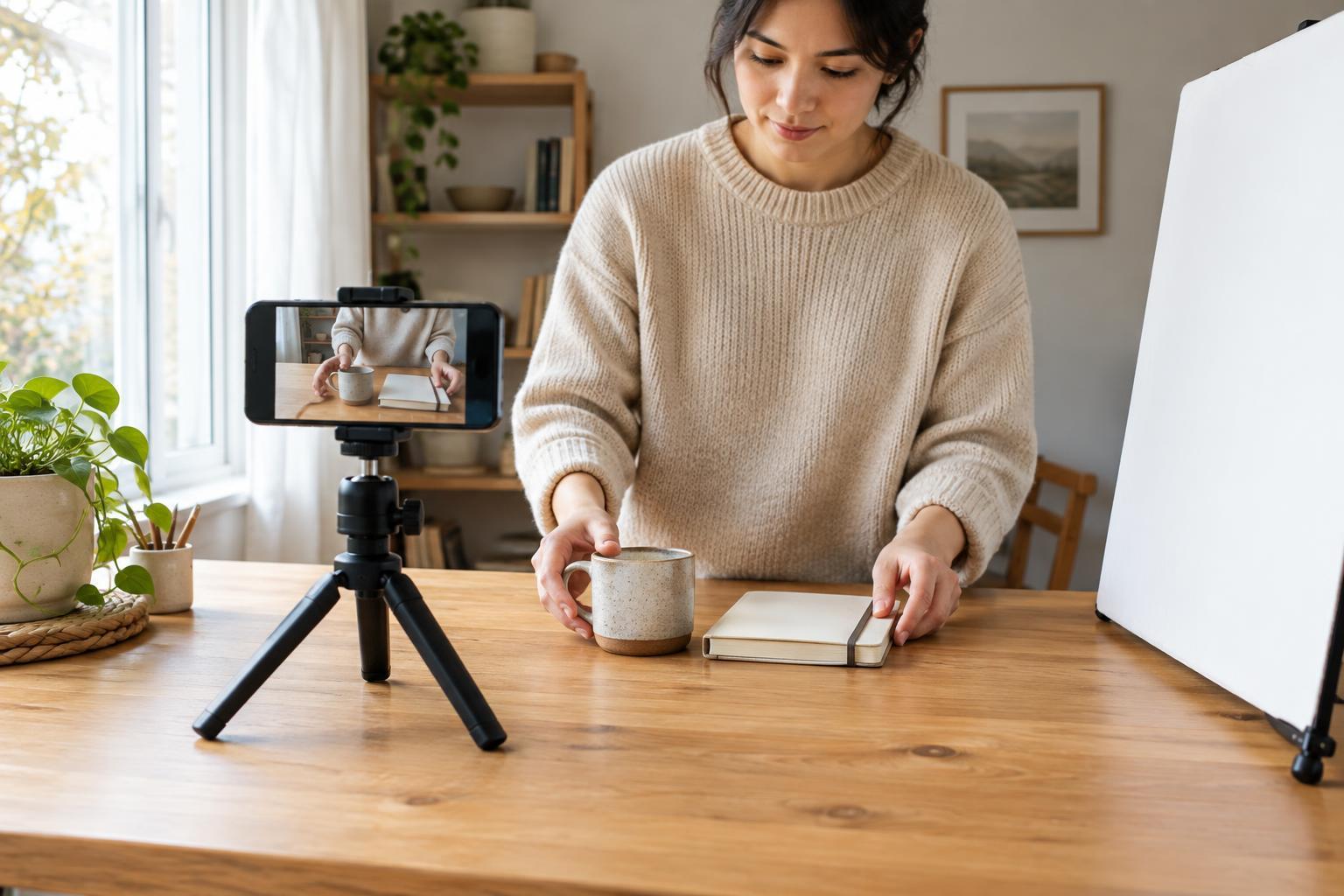
Start with the light already available. For a person speaking indoors, a window can provide soft, useful light when they face toward it or stand at a slight angle. Put the phone between the person and the window, rather than pointing it toward the bright glass. If the window is in the background, the camera may make the face look dark to preserve detail outside.
Look for even light rather than simply more light. Direct sunlight can create sharp shadows across a face or bright patches on a tabletop. Moving a step into shade, turning slightly, or placing a thin curtain between the window and the scene can soften the contrast. If you use a lamp, check where its shadow falls and whether its color looks noticeably different from other lights in the room.
On the phone screen, tap the subject to guide focus and brightness. Some camera apps also let you adjust or lock exposure. These controls can help when the subject stays in one place, but they cannot fix a scene with extreme differences between bright and dark areas. If the image keeps changing brightness as you move, simplify the lighting or change your angle.
Frame for meaning, not just neatness
Place the camera at a height that suits the subject. For someone speaking directly to viewers, a lens near eye level usually feels more natural than a phone held low under the chin. For a tabletop demonstration, move the phone high enough to show the full action without hiding important steps behind your hands. Check the edges of the screen for objects that seem to grow out of someone’s head or draw attention away from the point.
A simple background makes the subject easier to follow, but it need not be empty. A relevant tool or workspace can provide context. Give a person a little room above their head and avoid cutting through hands or objects that are essential to the explanation. If the subject moves, leave space in the direction of that movement. Frame for the action you expect, not only the still moment before it begins.
Keep the shot steady and check the details
A steady image lets viewers notice the information rather than the camera movement. Rest the phone on a stable surface, use a stand, or hold it with both hands and keep your elbows close to your body. Move the camera only when that movement reveals something useful. For a close-up, try moving the phone physically closer before relying on digital zoom, which can make details appear less clear.
Wipe the lens gently before recording; a fingerprint can make even good lighting look hazy. Then record a short test clip and watch it at the size your audience is likely to use. Is the important detail visible? Does the face stay bright enough when someone gestures? Can you see distracting reflections? A quick review is often more helpful than adjusting settings by guesswork.
Build a repeatable setup
When you find a spot that works, note where you placed the phone, where the subject stood and which way the light came from. Reusing those choices makes a series feel consistent and saves time. You can still change the frame when the story calls for it: a wider view can establish a workspace, while a closer shot can show a small action clearly.
Lighting and framing are starting points, not rules to follow at the expense of the idea. A slightly imperfect shot can work if the viewer can see what matters. Before each take, make one final check: subject visible, light manageable, background helpful and phone steady. Those four choices give your footage a clear purpose before you press record.